 MINARA
System Design
Core modules, their invariants, and a directory of every design doc in this section
👥 This section is for: research-oriented developers who want to understand why Minara is built the way it is, and maintainers who need the invariants and change-risk lines. Every page opens with a plain-language "why this exists" callout and closes with a See this in use link back to the user-facing feature. Contributor-only guidance is clearly marked.
Suggested reading order for newcomers: start with The Agent Loop (the heart of how a turn runs), then The Skill System (how capability is packaged), then jump to whichever subsystem the feature you care about depends on.
This section documents how Minara Agent is built. Start with the core-modules walkthrough below, then follow the directory to the deep-dive page for whichever subsystem you're touching.
Directory
Runtime
- The Agent Loop — How a single turn flows from user message to final answer.
- The Skill System — Routing, activation, risk gates, and the full catalog of available skills.
- LLM Integration — Provider abstraction, prompt caching, model routing.
- Scenario Classifier — L0.5 intent classification that injects procedural playbooks and preloads skills.
State & storage
- Memory (subsection overview) — the four interlocking stores (session memory, personalization, role reflection, the learning system) and how they compose on a turn.
- Workspace — the markdown identity and memory ground truth, plus the artifact and file stores for durable conversation content (charts, reports, uploads).
Safety & execution
- Safety & Sandboxing — Sandbox, permission tiers, hook pipeline, and the 6-stage finance safety stack.
I/O & operations
- Deep Research Pipeline — The isolated 6-step pipeline that produces structured market reports.
- Observability — Logging, auditing, and debugging a running agent.
Core Modules
The agent is a small number of modules that cooperate through explicit interfaces. This page walks through each one: what it owns, what it depends on, and the invariants it upholds.
app.ts: the composition root
apps/agent/src/app.ts is the only module in the repo
that knows about every other module. It exports a single createApp()
function that:
- Opens the SQLite database (WAL mode, FTS5 enabled) under
$dataDir/. - Builds the
ToolRegistrywith the permission-tier hook and the analysis → trade boundary hook installed. - Instantiates all tool factories (
createReadTools,createTradeTools,createMemoryTools,createFileTools, …) and registers them. Factories that depend on missing env vars return[]and never throw at boot. - Builds the
SkillRegistryfromBUILTIN_SKILLSplus the output ofbuildExternalDomainSkills()for anything vendored underapps/agent/src/skills/external/. - Wires the
AgentLoop, injecting the LLM client, the registries, the sandbox resolver, and the audit-log writer. - Returns the assembled
Appobject for the gateway to drive.
Because createApp() is pure (given env vars and config), both the
CLI REPL and the HTTP gateway share an identical runtime. If you ever
wonder "where does X get hooked up," the answer is always app.ts.
core/tool-registry.ts: typed dispatch and permission tiers
The tool registry is the concrete representation of what the agent
can do. Every tool is a ToolEntry:
interface ToolEntry {
  name: string;
  toolSet: string;
  schema: ToolSchema;          // JSON Schema for LLM tool-use
  handler: ToolHandler;        // async (args) => string
  permissionTier: PermissionTier;
  isAsync: boolean;
  description: string;
  checkFn?: () => boolean;     // optional runtime availability gate
}
Permission tiers
enum PermissionTier {
  READ_ONLY      = 1, // price, balance, trending, fear_greed, search
  CONFIRM_ONCE   = 2, // analyze, research, small swap, write_file
  ALWAYS_CONFIRM = 3, // perps, large swap, autopilot start/modify
  MANUAL_ONLY    = 4, // withdraw, external-address send, emergency stop
}
Tiers are enforced by BeforeToolCallHook. They are not advisory.
When a hook throws ToolCallBlockedError, the agent loop catches it
and returns the error to the LLM as a tool result. The LLM sees it
as any other tool error; the audit log sees it distinctly.
Tool sets
BUILTIN_TOOL_SETS groups tools into named bundles (read, trade,
perps, file, browser, …) with optional includes composition.
Skills reference tools by name, but the registry and the gateway talk
about tool sets: easier to reason about, easier to gate. Cron
autopilot turns run with allowedToolSets: ["read", "memory", "web"]
and nothing else.
Context propagation
The registry uses AsyncLocalStorage to thread ToolCallContext
through async tool calls, including sub-agent calls via
subagent and skill-executed tool sequences. Hooks read
ToolRegistry.currentContext() to enforce per-turn invariants
(analysis → trade boundary, allowedToolSets whitelist, emergency stop).
core/agent-loop.ts: plan → call → observe → decide
The agent loop is a vanilla while (iterations < max) orchestrator:
- Build the system prompt (via
prompt-builder.ts) using the currentSkillSessionstate. - Call the LLM with the set of tools allowed by the currently active
skills (intersected with the turn's
allowedToolSets). - For each tool call:
- Validate the stated intent matches the actual tool call.
- Run the registry's dispatch, which fires
BeforeToolCallHook. - Persist the call plus result to the audit log.
- Feed results back as a new user message.
- Exit on
stop_reason: "end_turn"or whenmax_iterationsis hit.
Turn bookkeeping (the risk ceiling, the signal context) lives on a
ToolCallContext object that the loop wraps in
runInContext(ctx, fn) so every tool call sees the same state.
See The Agent Loop for a fuller walkthrough.
core/prompt-builder.ts: system prompt assembly
The system prompt is built from declared blocks rather than string concatenation:
system: [
  { type: "text", text: identityPrompt,     cache: true  },
  { type: "text", text: skillCatalog,       cache: true  },
  { type: "text", text: activeSkillPrompts, cache: false },
  { type: "text", text: signalContextBlock, cache: false },
]
Blocks marked cache: true are passed through to Anthropic's prompt
cache (5-minute TTL, 10% cost) so identity plus catalog stay warm.
Blocks that change every turn (active skills, signal context, pending
confirmations) are not cached. This design is load-bearing: a poorly
ordered prompt can turn what looks like "one Claude call" into three
cache misses.
buildSystemPrompt() wraps buildSystemPromptBlocks() for callers
that want a plain string (tests, the CLI's --dump-prompt mode).
skills/: the skill layer
A DomainSkill is a fully declarative unit:
{
  id: "minara.core",
  kind: "domain_skill",
  description: "Unified Minara API — markets, portfolio, spot/perps trading, sub-account management",
  prompt: "...≤ 800 tokens of instructions...",
  tool_names: [
    "get_price", "get_trending", "get_fear_greed", "search_listed_tokens", "search_dex_tokens",
    "minara_account", "lookup_token", "minara_total_balance",
    "get_portfolio", "get_perps_positions", "minara_pnl",
    "swap_tokens", "buy_token", "sell_token", "transfer_token",
    "open_perps_position", "close_perps_position",
    "minara_perps_wallets_list", "minara_perps_wallet_sweep", /* ... */
  ],
  activation: "auto",
  priority: 50,
  routing: {
    lifecycle_stages: ["discover", "decide", "manage"],
    keywords: ["minara", "balance", "swap", "long", "short", "perp", "perps", "perps sub-account"],
    asset_classes: ["crypto_major", "crypto_alt", "crypto_meme", "stablecoin", "perps"],
  },
}
The pieces:
SkillRegistry(apps/agent/src/skills/registry.ts) holds the catalog, enforcesrequires_envgating at registration time, renders the unrouted and routed catalog blocks, concatenates prompt fragments for active ids, and collects tool whitelists.SkillSession(apps/agent/src/skills/session.ts) is the per-turn mutable state: which skills are active, what risk ceiling applies, what pending confirmations exist. The registry is stateless; the session owns activation.Router(apps/agent/src/skills/router.ts) runs the L0 deterministic pre-filter: keyword scoring, stage classification, asset-class detection, plus the L3 risk gate that short-circuits high-risk activations without user confirmation.FinanceTaxonomy(apps/agent/src/skills/finance-taxonomy.ts) is the shared vocabulary (LifecycleStage,AssetClass,RiskTier) the router and skills speak.
See The Skill System for the routing algorithm and the activation flow end to end.
tools/_shared/sandbox.ts: the filesystem boundary
Every file tool calls resolveInSandbox(relativePath) which:
- Rejects absolute paths.
- Resolves the path under
$dataDir/sandbox/files/. - Walks each path segment, following symlinks, and verifies the resolved real path still has the sandbox root as a prefix.
- Returns the canonical absolute path or throws
SandboxEscapeError.
Tool handlers never see raw user input as a fs.* argument. Even if
a tool tries (which it should not), the resolver rejects the
traversal attempt before any syscall touches the disk.
Do not write a parallel helper that opens files with a different resolver. The single-entry-point property is what makes the sandbox defensible.
tools/_shared/result.ts: the tool result envelope
All tool handlers return a string, but the string is shaped by
ok({...}), err("..."), or errFromThrow(e) into a tagged envelope
the LLM can parse reliably:
{"ok": true,  "data": {...}}
{"ok": false, "error": "..."}
This is boring on purpose. The LLM sees the same shape from every tool, so prompt logic like "if the result is an error, apologize and retry" compiles once instead of per-tool.
gateway/: two entrypoints, one runtime
cli.tsis a REPL that streams LLM output to stdout and routes tool calls through the sameAgentLoop. It importsconfig/load-env.tsas the first line of execution so.envis populated before anything readsprocess.env.server.tsexposes the HTTP API; see HTTP Gateway. It uses the samecreateApp()output, so there is no drift between CLI and HTTP behavior.skills-cli.tsis theminara skills add/list/upgrade/removesubcommand. It vendors external SKILL.md packages intoapps/agent/src/skills/external/and surfaces license detection in its output.
config/load-env.ts: environment bootstrap
Two responsibilities and nothing else:
- Call Node 22's native
process.loadEnvFile()on.envif it exists. - Record which vars came from the file vs the shell, for startup logs.
It is imported purely as a side effect, as the very first import of every entrypoint. If you introduce a new entrypoint and forget this, you will get silent env-missing failures downstream.
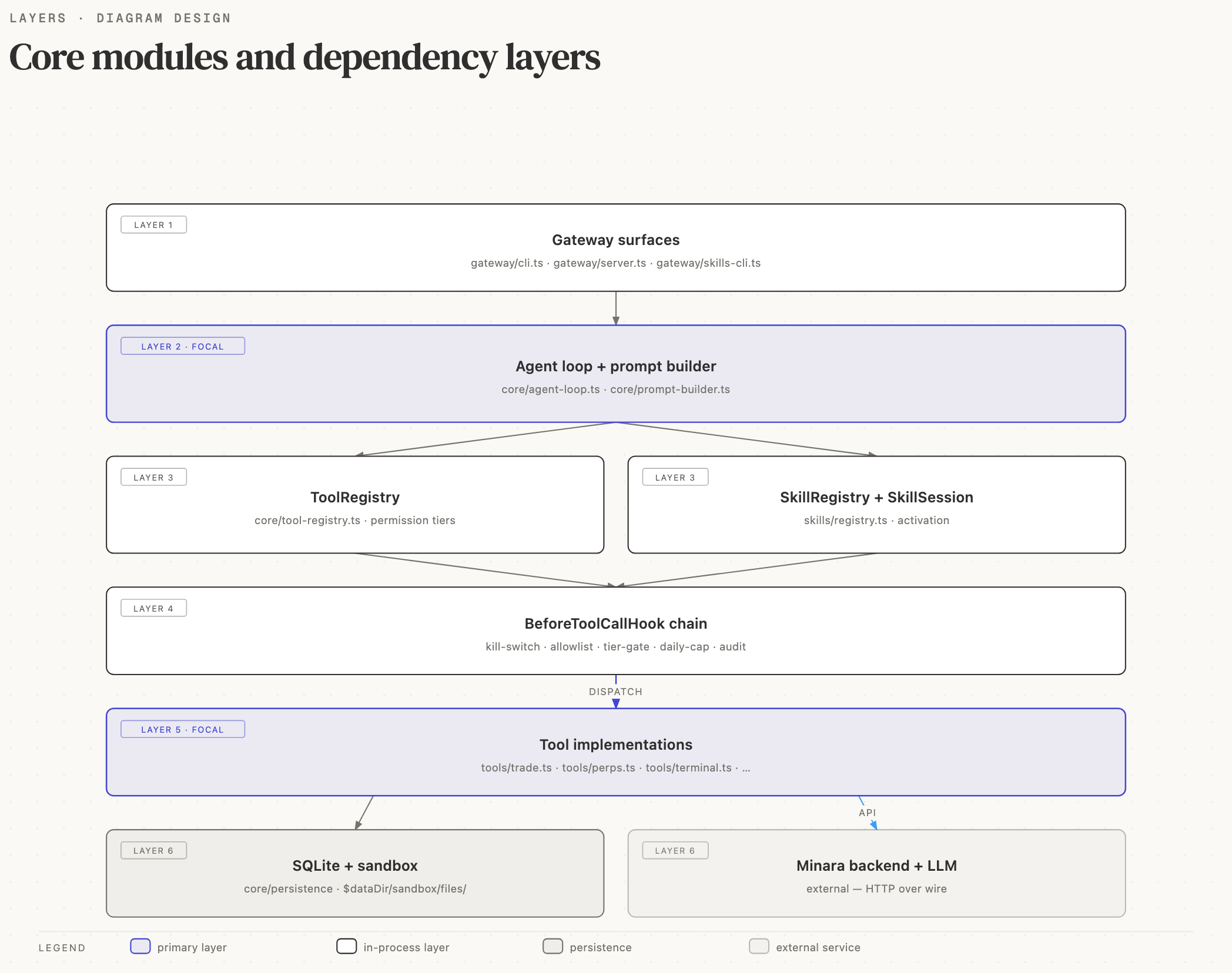
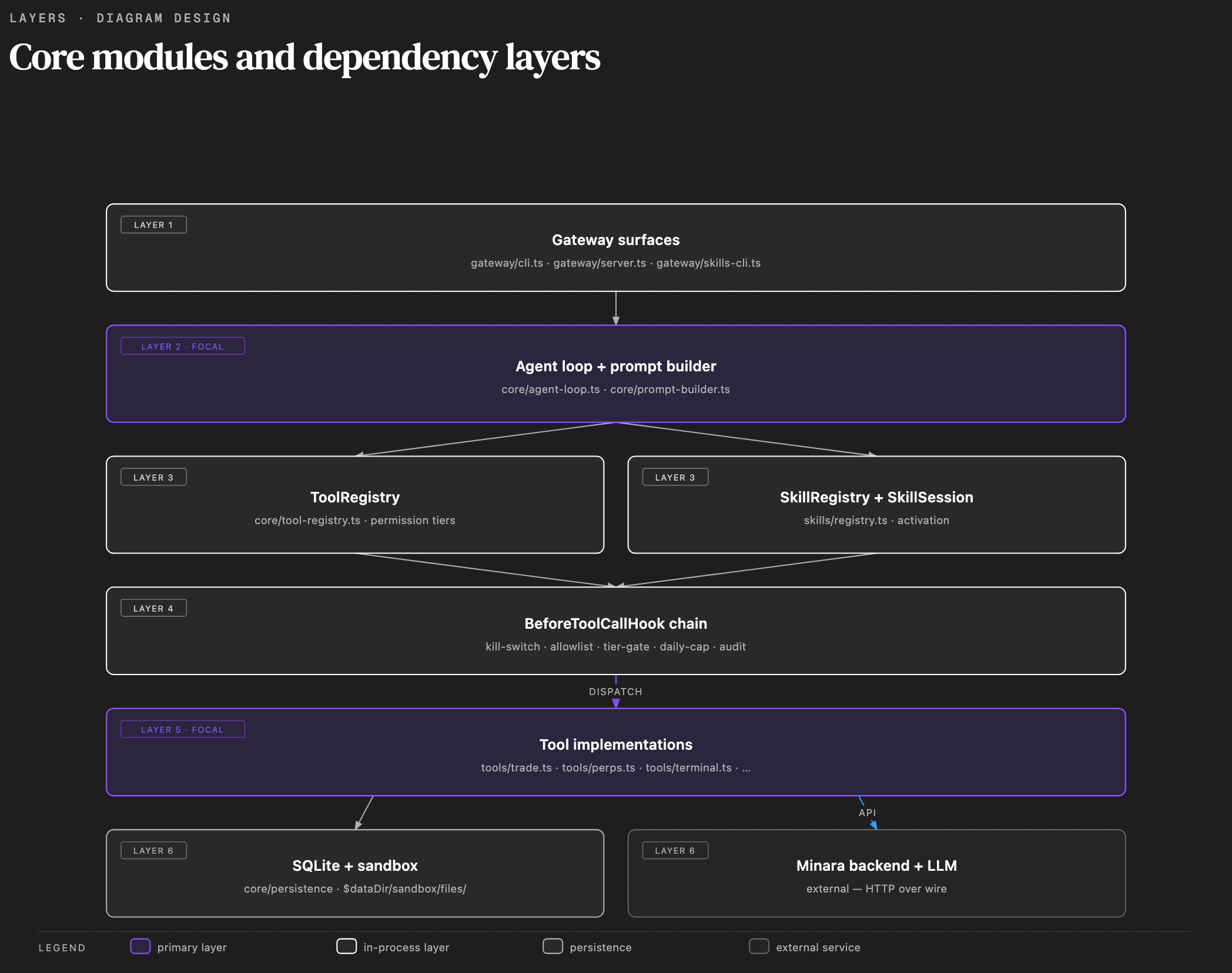
The architectural rule: every module listed here has one job, and
modules higher in the stack depend only on modules lower in the stack.
The agent loop depends on the registries; the registries depend on
the tool layer; the tool layer depends on the sandbox. If you find
yourself reaching "up" (a tool handler importing from agent-loop.ts,
for example), that's a signal to reshape the design rather than add
a back edge.